Cemu Utilities Ver 0.01 Usage
2016-10-26 01:00 GMT +8
=========================================================================
= 愁 愁 愁 愁愁 愁 =
= 愁 愁 愁愁愁愁愁愁愁愁 愁愁愁 愁 =
= 愁愁愁愁愁愁愁愁愁 愁 愁 愁 愁 愁 =
= 愁 愁 愁 愁 愁愁愁愁 愁 愁愁愁愁愁愁 愁 愁 =
= 愁 愁 愁愁 愁 愁 愁 愁愁 愁 愁 =
= 愁 愁 愁 愁 愁 愁 愁愁 愁 愁 愁 =
= 愁愁愁愁愁愁愁愁愁 愁 愁 愁 愁 愁 愁 愁 愁 =
= 愁 愁 愁 愁愁愁愁 愁 愁 愁 =
= 愁 愁 愁愁 愁 愁 愁 愁 愁 愁 =
= 愁 愁 愁 愁 愁 愁 愁 愁 =
= 愁愁愁愁愁愁愁愁愁 愁 愁愁愁 愁 愁愁愁愁愁愁 =
=========================================================================
This is a release of CEMU Utilities 0.01, for the WiiU Emulator CEMU for Win64.
Requirements
————
– Windows 7 (x64) or above
– OpenGL 4.0 (4.5 is used if available)
– RAM: 4 GB minimum, 6 GB or more recommended
– NVIDIA GPU or AMD GPU
CEMU Utilities 0.01 Filelist
——————————–
DInput0.dll 4,590,080 -> Main program
MakeUtilities.exe 43,008 -> Make “Cemu Utilities.exe”
Check the files you get, if they are not the same as above, please go to https://www.ff18.com to
download one, or some functions may not work correctly.
Usage
—–
Run “MakeUtilities.exe” to Create CEMU Utilities for offical version. A filenamed “Cemu Utilities.exe”
should be appeared.
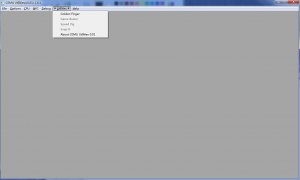
You should see a “# Utilities #” menu when you run “Cemu Utilities.exe”. There are 5 submenus in it.
1 Golden Finger -> Status 60%. -> 金手指
Golden Finger is finger make by pure gold, usually as the second finger in the right hanf. ^_^
2 Game Buster -> Status 10%. -> 遊戲克星
GameBuster is a game cheater(like CheatEngine).
3 Speed Pig -> Status 10%. -> 變速小豬
Speed Pig is a tool to increase or decrease the delay between refresh, so it should make the EMU
run faster or slower, but it is still according to your CPU. If it can’t make your games faster
because your CPU is too slow, the delay between frame to frame is very little, so you won’t notice
a very large increase.
4 Snap IT -> Status 10% -> 截距滷味
This is a tool to snap a picture of EMU, the short key is ALT+S. All the snaps should be put in
SNAPS folder. It snaps not only the game screen, but the entire Chankast window.
5 About CEMU Utilities
This file which you are seeing. 😀
Contacts
——–
Kryso – The main programmer of CEMU Utilities
E-Mail: none ^_^
web: https://www.ff18.com
Thanks to:
———
NASDAQ of
NTES
YY

Click here to download 点此下载


